
Your notes on a canvas, with optional AI that reads them.
Write notes, import Markdown documents and PDFs, arrange them on an infinite canvas and draw with Apple Pencil — all free, with iCloud sync. Add optional Memex AI to chat with your notes and make images.
Free notebook for iPad, iPhone and Mac
Canvas
Your documents, laid out where you can think
Markdown documents sit on the canvas as live cards you can read and edit in place, with your PDFs right beside them. Connect cards with arrows, gather them into groups and write around them with Apple Pencil.
Example: Planning an essay: each section is a document card, the source PDF sits beside them, an arrow says which point it supports, and you circle the gap in ink.
Document
1. The claim.md
Document
2. Evidence.md
Smith 2024.pdf
Optional Memex AI · Chat
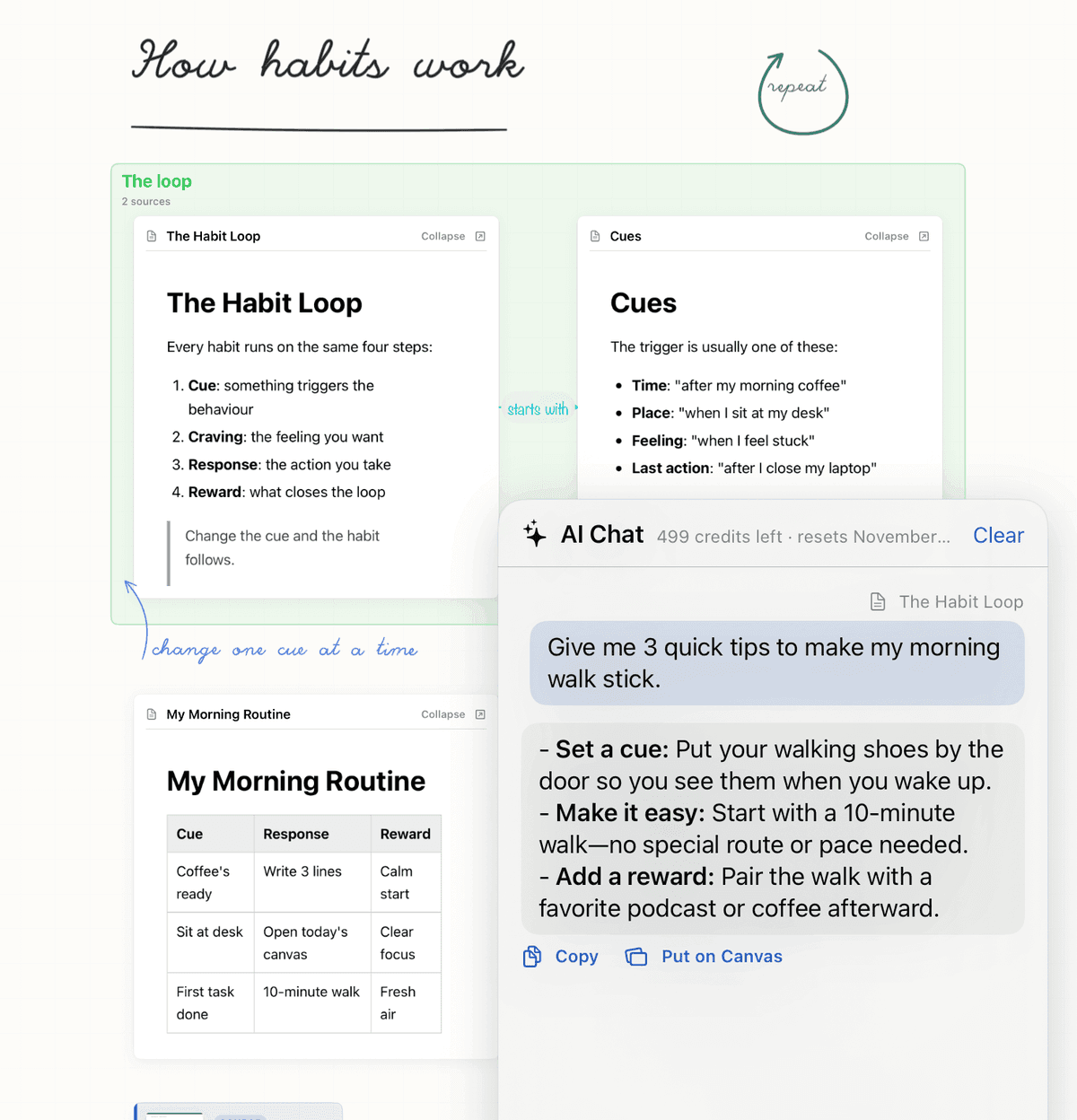
A chat that reads your notes
Add a card, a document or a PDF to the chat, type text straight in, or just ask. Memex reads what you add before it answers, and any reply can go on the canvas as a new card.
Example: Add your Habit Loop notes and ask which step you've barely covered; the answer lands next to them as a card.
Optional Memex AI · Make image
Turn a few words into a picture
Select typed text or your handwriting and tap Make image. The picture appears on the canvas next to what you wrote and is saved in your library.
Example: Write “lighthouse in a storm, ink sketch” in the margin, select it, and the drawing lands right beside your notes.
ink sketchMake image · 20 credits
lighthouse.png
Your files stay yours
Plain files
Documents are Markdown (.md) and canvases are .canvas, both plain text you can open anywhere.
In your iCloud Drive
Everything sits in a Memex folder you can open in the Files app.
No account
No sign-up and no Memex server holding a copy of your library.
No lock-in
Stop using Memex any time and your files stay exactly where they are.
About the AI: when you use it, the context you add and your messages go to OpenAI; image-generation prompts go to Black Forest Labs. Both go through OpenRouter and our proxy, which stores none of your content. Nothing else from your library leaves your device and iCloud Drive. How the AI handles your data
Your notebook is free
Memex notebook · $0
Notes, canvases, Apple Pencil, imports and iCloud sync. No subscription needed.
Keep writing, drawing, importing and syncing, even if you cancel Memex AI.
Memex AI is optional
Try 5 free chat messages. Then choose a subscription or credit pack for chat that reads your notes and images made from your words.
Memex AI Monthly
$4.99 a month
Billed every month
Memex AI Yearly
$49.99 a year
Billed once a year
200 AI credits · $3.99
Buy once, use whenever you want. No subscription required. Purchased credits never expire and are used after your monthly credits.
Both AI plans include 300 credits each paid month. A chat message uses 1 credit; an image uses 20. Your notebook stays free.
Eligible new subscribers get a 7-day free trial with 50credits total. Paid credits refresh each month from when your paid subscription starts and don't roll over. Prices are in US dollars; the App Store shows your local price. Subscriptions renew automatically unless cancelled at least 24 hours before the end of the current period.
Questions
Is Memex free?
Yes. Notes, canvases, Apple Pencil, imports, bookmarks, search and iCloud sync are free, with no subscription needed. They stay free if you cancel Memex AI. Only optional AI use is paid, through a subscription or credit pack.
Can I try Memex AI before subscribing?
Yes. You get 5 free AI chat messages without a subscription. After those messages, subscribe to Memex AI or buy a credit pack to keep chatting and make images. The free notebook keeps working either way.
What counts as a credit?
With Memex AI, every message you send in the chat costs 1 credit, and every image you make costs 20. The optional subscription includes 300 credits a month: up to 300 chat messages, 15 images, or a mix. The chat shows how many credits you have left.
What happens when my credits run out?
Your notebook keeps working. Paid subscription credits refresh each month from when your paid subscription starts; unused monthly credits don't roll over. The app shows your next refresh date. You can also buy 200 credits for $3.99, with or without a subscription. Purchased credits never expire and are used after any monthly credits.
Where do my files live?
In a Memex folder in your own iCloud Drive, as plain .md documents and .canvas files that you can see in the Files app. Images you make are saved there too. Memex has no account and no server copy of your library.
Does it work offline?
Yes, for the documents and canvases on your device: reading, writing, arranging and drawing all work without a connection, and iCloud syncs your changes when you're back online. The AI chat and Make image need an internet connection.
Does it run on iPhone and Mac?
Memex is made for iPad and Apple Pencil, and it also runs on iPhone and Mac. Your free library syncs between them through iCloud Drive. If you subscribe to Memex AI, it works on every device signed in to the same Apple Account (tap Restore Purchases if a device doesn't see it).
How do I cancel?
Memex AI subscriptions are handled by Apple. Open Settings on your iPhone or iPad, tap your name, then Subscriptions, and choose Memex. Cancel at least 24 hours before the current period ends to avoid the next charge. Your AI access continues until the paid period ends. Notes, canvases, Apple Pencil, imports and iCloud sync stay free and fully usable after cancellation.